How to choose a crypto wallet: Pick a recovery and signing workflow you can execute
How to choose a crypto wallet comes down to one decision: which key-management and recovery workflow you can protect, restore, and verify correctly when something goes wrong. The “best crypto wallet for beginners” is usually the one that makes seed-phrase backup and transaction verification hardest to mess up, not the one with the longest feature list.
Key Takeaways
- A private key is a secret alphanumeric string created when a wallet is created, and anyone who gets it can control the funds.
- A seed phrase is typically 12 or 24 words, and entering it into a new wallet can regenerate the corresponding private key and restore access if the words and order are correct.
- Writing a seed phrase on paper and storing it securely offline reduces compromise risk versus storing it digitally, but every extra copy increases the number of places it can be found.
- Hardware wallets keep private keys offline, but they only reduce risk if transactions are verified on the device’s screen, not trusted from the computer screen.
Start with your security and usage needs
Wallet choice starts with what the wallet will be used for on a normal Tuesday, and what it needs to survive on the worst Friday of the year. The normal flow is signing transactions. The worst-day flow is recovery after a lost phone, a dead laptop, or a suspected compromise. That is why choosing a wallet is less about “which crypto wallet to use” and more about whether the recovery and signing workflow matches the threats that are actually likely.
Three usage buckets drive almost every decision. The first is frequent transactions, where speed and convenience matter, and the wallet will touch dApps and approvals often. The second is long-term storage, where the wallet might sign a transaction once a month or once a quarter. The third is mixed use, where a trader wants a spending stack and a vault stack.
This is where hot vs cold wallets becomes a practical question rather than a slogan. A hot wallet is exposed to the same device and browser environment used for daily activity. A cold wallet, most commonly a hardware device, keeps private keys offline and is built to sign without revealing the key material to an internet-connected machine. The tradeoff is operational friction and more steps to get right.
The other axis is custodial vs non custodial wallets. Custodial means someone else holds the keys and the user gets an account login. A non custodial wallet means the user controls the keys and the recovery material. For this guide, the key decision is whether the reader is ready to run a non custodial wallet workflow, because the recovery burden shifts from “reset password” to “protect the seed phrase forever.” Anyone who wants a quick taxonomy before deciding should read crypto wallet types explained and then come back to the threat model.
How wallet recovery and seed phrases work
The recovery mechanism is the part that turns a wallet choice into a life-or-death operational decision. A private key is a secret alphanumeric string created when a wallet is created, and it should never be shared. Whoever has it can authorize spending. Most self-custody wallets wrap that reality in a backup system that humans can handle.
That backup is the seed phrase, also called a recovery phrase. It is a human-readable set of words derived using an algorithm, and it is typically 12 or 24 words. The important operational fact is what happens when a device dies. Entering the seed phrase into a new wallet can regenerate the corresponding private key and restore access to funds, but only if the words are correct and in the correct order.
Two misconceptions cause a lot of expensive behavior. The first is “my seed phrase is basically my password.” A password is an access control layer for a specific app or device. A seed phrase is a recovery mechanism that can recreate the private keys. If someone gets the seed phrase, they do not need the phone, the PIN, or the app. They can restore the wallet elsewhere.
The second misconception is “I’ll deal with recovery later.” Recovery is not a future problem. It is the definition of what was purchased when a wallet was chosen. If the reader cannot describe, step by step, how they would restore on a new device without exposing the seed phrase to a compromised computer, then they are not choosing a wallet. They are choosing a future loss event.
This is also where the broader topic matters: a crypto wallet is not a place where coins sit. It is a key and recovery system that controls access. The screen-level reality is simple. The wallet app shows balances and prompts. The thing that matters is the recovery material behind it.
Seed phrase storage rules and tradeoffs
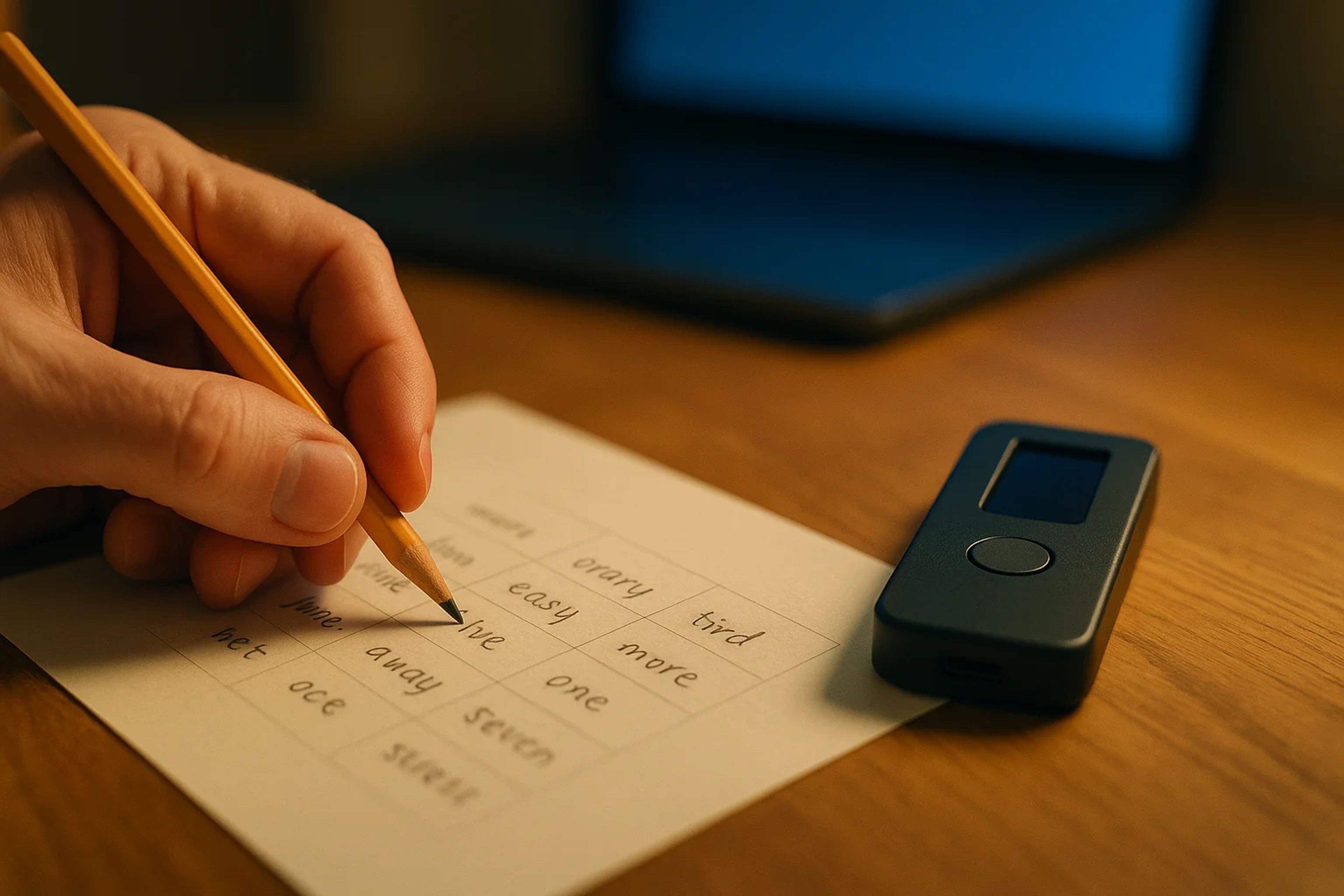
Seed phrase handling is a single point of failure because it is designed to be. Anyone who can read the phrase can restore the wallet. That is why the storage rules are blunt. Writing the seed phrase on paper and storing it securely offline reduces compromise risk versus saving it on a computer, in cloud storage, or as a photo. Digital storage increases the chance that malware, account takeovers, or backups leak the phrase.
Redundancy is a dial, not a checkbox. Creating multiple paper copies stored in separate secure offline locations can add redundancy if one copy is lost or destroyed. The tradeoff is exposure. Too many copies increases the number of places the phrase can be found. The right number is the one the user can defend operationally, including who might access each location and what happens during a move, a breakup, or a family emergency.
A restore drill mindset is the fastest way to find weak points. Before meaningful funding, the user should be able to answer three questions without guessing: where the seed phrase is stored, how quickly it can be retrieved, and what device it would be typed into during recovery. The last question is the trap. A prompt to type a seed phrase into a random website or “support tool” is a red-alert event. Kicksecure warns that malware can trick users into entering a recovery seed phrase on a compromised computer, which would give an attacker access to the holdings.
Some vendors market alternatives to seed phrases. BC Vault positions seed phrases as a single point of failure and cites Chainalysis that phishing accounted for over $3.8B in crypto theft in 2022. BC Vault also claims studies estimate 20% of Bitcoin, about 3.79M BTC, is lost due to forgotten or mishandled seed phrases, and it markets a “seedless” design using encrypted backups stored on FRAM with long retention and claims it has “never been compromised.” Those claims are not independently validated in the provided packet, so the actionable takeaway is narrower: if a wallet changes the recovery model, the user should treat that as a new set of trust and failure modes, not as magic.
When hardware wallets help and when they don’t
Hardware wallets explained well start with what they actually do. A hardware wallet is a physical device that stores private keys offline, reducing exposure to online threats like hacks and malware. CoinTracker describes common consumer models like Ledger and Trezor and frames them as popular choices for long-term storage.
The trader-relevant nuance is that “offline keys” only matter if the signing workflow is used correctly. Kicksecure’s threat model draws a hard line between an untrusted computer screen, the “insecure display,” and the hardware wallet’s device screen, the “secure display.” The point is what you see is what you sign, often abbreviated WYSIWYS. If malware can change what is shown on the computer, then approving based on the computer screen defeats the purpose.
This is why “a hardware wallet makes me unhackable” is the wrong mental model. Kicksecure argues hardware wallets can improve security only under some threat models and that many users still lose funds due to workflow and threat-model misunderstandings. The most common failure mode is not a hacker cracking the device. It is the user being socially engineered into typing the seed phrase into a compromised computer or fake recovery flow.
Hardware wallets also have UX traps that show up on a screen. Kicksecure notes that verifying recipient addresses can be hard on small device displays, which creates room for clipboard-style attacks where users only check the first and last characters. The defensive habit is boring but effective: verify the full address and the amount on the device screen, especially for first-time withdrawals and new counterparties.
For many users, the clean setup is two tiers: a hot wallet for daily activity and a cold wallet for long-term storage. That is not a brand recommendation. It is a workflow separation that limits blast radius when the browser environment gets messy.
Privacy, trust, and vendor risk checks
A wallet can keep keys offline and still create new risk through its software and update pipeline. Kicksecure’s model is explicit that hardware wallets require trust in the manufacturer, and that firmware updates are frequent and pushed to end users. Every update is an operational event. It can fix bugs, but it can also introduce new ones. The user cannot treat the device as a timeless vault and ignore the vendor relationship.
Privacy is the other underpriced cost. Kicksecure notes vendor apps for hardware wallets are often SPV wallets, meaning they rely on servers for blockchain data rather than fully validating everything locally. The practical implication is metadata leakage. Those servers can learn addresses, transaction history, and IP address, which can be linked over time. That does not mean the wallet is “unsafe,” but it does mean the user should consciously accept the tradeoff or mitigate it with different software and network hygiene.
Due diligence here is less about reading marketing pages and more about asking operational questions. What happens if the vendor app is down. What happens if the user must update firmware to transact. What data is shared when the wallet syncs. What is the recovery path if the device is lost. These questions apply to any non custodial wallet, not just hardware.
BC Vault’s pitch is effectively a different trust bundle: it describes its product as “seedless,” using encrypted backups stored on FRAM and claiming long retention and that it has “never been compromised.” Even if a user is attracted to that model, the selection process should still be the same. Identify the recovery material, identify who can access it, and identify what must be trusted for restores and signing.
A practical wallet selection checklist
This is the decision flow that turns “how to choose a crypto wallet” into something a person can execute without guessing. It is designed to force the two stress points into the open: seed phrase handling and transaction verification.
1. Decide whether the wallet will be custodial or self-custody. If the goal is self-custody, commit to running a non custodial wallet workflow where the user controls recovery material. 2. Map usage into two buckets: daily signing and long-term storage. If both exist, plan a split stack using hot vs cold wallets so one compromise does not touch everything. 3. Confirm the recovery model before installing anything. Identify whether the wallet uses a 12 or 24 word seed phrase, and confirm that entering it into a new wallet can regenerate the corresponding private key and restore access. 4. Write the seed phrase on paper and store it securely offline. Avoid photos, cloud notes, password managers, and computer files because digital storage increases compromise risk. 5. Set redundancy deliberately. Create multiple paper copies stored in separate secure offline locations only if the user can explain who might access each location and how exposure risk changes with each copy. 6. Run a restore drill with tiny amounts. Verify that the user can restore on a new device by entering the words in the correct order without improvising or searching for “seed phrase checker” tools. 7. If using a hardware wallet, treat the device screen as truth. Verify recipient address and amount on the secure display, not the computer’s insecure display, because WYSIWYS is the whole point. 8. Check vendor trust and privacy assumptions. Assume vendor apps may be SPV wallets with privacy tradeoffs, and treat firmware updates as risk events that require attention.
This checklist is also the fastest way to choose the best crypto wallet for beginners. The beginner-friendly wallet is the one that makes steps 3 through 7 hard to mess up, because those are the steps that decide whether funds survive a device loss, a phishing attempt, or a compromised laptop.
The Take
I’ve watched more losses come from “seed phrase admin” than from any exotic exploit. The pattern is always the same: someone funds a new wallet, never runs a restore drill, then gets hit with a fake “verification” prompt and types the 12 or 24 words into a compromised computer. Kicksecure’s warning about malware harvesting recovery phrases is not theoretical. It is the playbook.
The clean habit is to treat wallet choice as a workflow you can execute under stress. If a screen ever asks for the seed phrase during normal use, that is a red-alert event. And if a hardware wallet is in the stack, the device screen is the source of truth, not whatever the laptop happens to show that day.
Sources
Frequently Asked Questions
What is the difference between a private key and a seed phrase?
A private key is a secret alphanumeric string created when a wallet is created, and it should never be shared. A seed phrase is a human-readable set of words, typically 12 or 24, derived using an algorithm. Entering the seed phrase into a new wallet can regenerate the corresponding private key and restore access if the words and order are correct.
What is the best crypto wallet for beginners?
The best option for beginners is usually the wallet whose recovery and signing workflow they can execute correctly under stress. That means clear seed-phrase backup steps, a restore process that is easy to follow without improvising, and prompts that encourage verifying what is being signed. If long-term storage is the goal, many beginners add a hardware wallet, but only if they will verify transactions on the device screen.
Should I store my seed phrase in the cloud or take a photo of it?
Digital storage increases compromise risk because computers, cloud accounts, and photo backups can be accessed by hackers or malware. Crypto.com recommends writing the seed phrase on paper and storing it securely offline. If redundancy is needed, multiple paper copies in separate secure locations can help, but too many copies increase exposure.
Do hardware wallets protect me if my computer has malware?
They can, but only if the user verifies the transaction details on the hardware wallet’s device screen. Kicksecure treats the computer screen as an insecure display that malware can manipulate, while the device screen is the secure display designed for WYSIWYS. Malware can still win if it tricks the user into typing the recovery seed phrase into the computer.
Can I recover my crypto if I lose my phone or hardware wallet?
If the wallet uses a seed phrase and the user still has it, recovery is typically done by installing a new wallet and entering the seed phrase to restore access. The words must be entered accurately and in the correct order to regenerate the corresponding private key. If the seed phrase is lost or exposed, recovery can fail or funds can be stolen.


